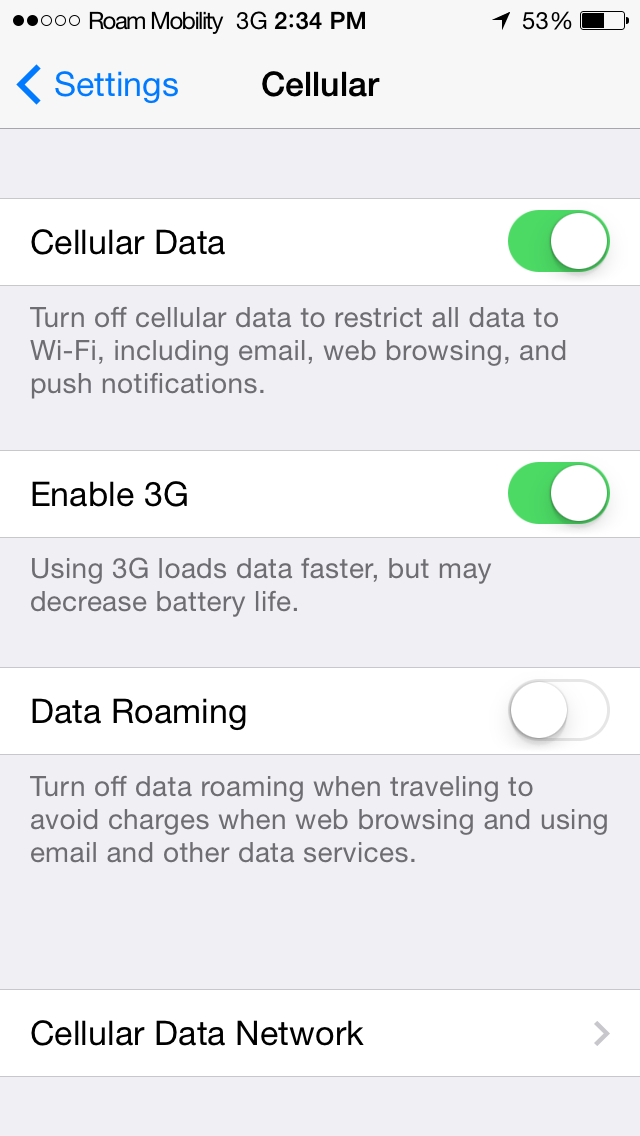
For years now, every time I went down to the USA, I would swap out my phone’s Canadian SIM card for a prepaid AT&T SIM card. This worked pretty well, but it was not without challenges. Now I use Roam Mobility. It isn’t perfect (although it’s close) but it is much easier and more convenient than using an actual US SIM card.
What I did before Roam Mobility
While buying the US SIM card is easy enough, successfully activating it is another story. To activate you need to enter a valid US address. Most of the Canadians I know live in Canada and do not have a US address. Usually I would just use my name at the hotel I was staying at, but it’s still not ideal and I feel a little bad about the potential junk mail AT&T might start sending them when my plan expires. You can’t just make up an address either. I actually wasted a SIM card trying that. In my experience, the address must be a valid US address.
Once you have the SIM card registered, you would then have to add money to the account. If you have a US credit card, adding money to your card is simple. You can make a payment during registration or later online. Without a US credit card, I was forced to use a third party service pinzoo. You can add money directly to your phone via their website and pay with Paypal. Once you know about pinzoo, it’s not too hard, but it’s still a bit of a hassle. Also, the last time I purchased airtime it cost me $50, as that was the only plan that would meet my needs. It wasn’t a bad price for a month of voice and data service, but I only needed it for 10 days.
When your trip is over, you switch your phone’s SIM back to your Canadian one. What do you do with the US SIM card? Well, if you are planning to visit the US again soon, you may be able to reuse the SIM. But watch out: AT&T’s prepaid SIM cards expire after 90 days if no additional money is put onto the account. I’ve never reused one of my US SIM cards since I typically don’t travel to the US more than a few times per year. As soon as I put my Canadian SIM back in my phone my US one goes right in the trash. In my case, I needed a new SIM card with each trip. I would actually buy AT&T SIM cards in bulk to get a better price.
I will say that once the account and plan were activated the service had always worked great. However, as you can see, there is much room for improvement in this process as I doubt the average person could be bothered to jump through all those AT&T hoops to get a SIM.
Note: I know I could have just visited an AT&T store once I crossed the border, but I much prefer having my cell phone and data working immediately after I cross the border. Besides, I don’t want to waste precious vacation time waiting in line at the mall to buy a cell phone plan.
Roam Mobility to the rescue
Roam Mobility solves these problems wonderfully. You can register with a Canadian address and pay with a Canadian credit card. Their plans are also very reasonable. Currently, for just $3.95 a day you get unlimited US calling, unlimited calling to Canada, unlimited text messages and 300MB of data. You also don’t have to buy a month of service. You can just buy 1 day at a time. Oh, and the best part: the SIM card doesn’t expire for a whole year! To keep the SIM active, just buy a cheap talk-only $2.95 1-day plan and you are good for another year. (I have paid between $4-$7 each for an AT&T SIM card).
Roam’s SIM cards are actually pretty expensive at $19.95 (they have deals occasionally) but since they don’t expire for a year it’s not a bad investment.
The not so great stuff about Roam Mobility
The data speed could be better. Our data speeds in Canada are actually pretty decent (at least where I travel), so getting used to the mediocre 3G was a step back. I have used Roam in New York, NY and Orlando, FL with my iPhone (4S, 5, 5S). The best speed I saw (once) was in New York at about 7Mbps. Typical speeds I experienced were between 2-4Mbps. In Orlando (and Disney World), all my best speeds were between 1-3Mbps and sometimes I was forced onto EDGE. On AT&T, my speeds were consistently double that a year prior.
Roam uses T-Mobile’s network and, well, AT&T’s network is just better at the moment (especially for iPhones) so slowness is to be expected. I should point out that the internet was perfectly usable most of the time. Photos took a little longer to upload than I’m used to, but it still got the job done. I made several phone calls back to Canada and had no issues with voice quality.
Now interestingly enough, Roam Mobility has just announced they will be launching an LTE network. This should help improve speeds immensely. The mediocre data speeds are the only drawback I can see currently with the service.
Alternatives: What about “Travel Packs”?
Over the last year or two, Canadian providers have started offering US data roaming packs. In my opinion they are still WAY overpriced compared to what Roam offers. Roam Mobility’s site has a pretty good (shocking) comparison here.
Conclusion
Overall I highly recommend Roam Mobility for anyone with an unlocked phone traveling in the US. They provide a much needed service, freeing Canadians from their money grubbing cell phone companies.